
Reviews
Fashion Studio Creative Stylist succeeds as a low-pressure creative outlet. The wardrobe offers enough variety to keep sessions fresh, and the drag-and-drop interface responds smoothly on both desktop and mobile. The ability to save and share designs adds a social layer without requiring an account. It is a well-crafted tool for anyone who enjoys fashion or creative play.
Description
Creative Wardrobe Workshop
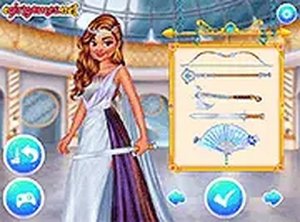
Fashion Studio Creative Stylist offers a digital workspace where players assemble complete looks from an extensive catalog of garments, hair options, and decorative pieces. Each character model presents distinct styling possibilities, encouraging users to explore different fashion aesthetics. The interface presents categories in a clear panel, allowing quick browsing through tops, bottoms, shoes, and accessories. Color and pattern variations appear on many items, giving each selection a personalized touch. This setup supports both quick experiments and detailed outfit planning.
Drag-and-Drop Design Tools
The core interaction relies on simple drag-and-drop mechanics. Players pick items from the wardrobe and place them onto the character model, seeing real-time previews of how each piece fits together. Layering is supported, so jackets can go over shirts, and accessories can be added last. An undo button lets users step back through changes, and a full reset option clears the canvas for a fresh start. These tools remove any pressure, making the process feel more like play than work.
Save, Share, and Inspire
Completed designs can be saved locally in the browser, allowing players to build a personal gallery of looks. A screenshot function captures the final outfit for sharing on social platforms, letting friends and family see the creations. This feature turns individual projects into a source of inspiration for others. The ability to revisit and refine previous designs encourages ongoing engagement with the wardrobe system.
Cross-Device Accessibility
Fashion Studio Creative Stylist runs directly in web browsers on both desktop computers and mobile devices. No software installation or account creation is required to start playing. Touch controls work smoothly on tablets and phones, while mouse-based input suits laptop and desktop use. This flexibility means players can pick up where they left off on any compatible device, as long as the browser supports local storage for saved outfits.
Exploring Personal Style
The game naturally encourages experimentation by offering a wide range of items without strict rules or scoring. Players can try bold color combinations, mix patterns, or stick to coordinated themes. The character models have distinct base looks that respond differently to various clothing choices, adding subtle variety to each styling session. Over time, users develop a sense of what combinations work best, building confidence in their creative decisions.




Comments
Sign in to leave a note
You must be logged in before posting a review or rating.
No account? Create one
No comments yet. Be the first to comment!