Reviews
Cubic Leap offers a satisfying progression of obstacle courses that steadily increase in complexity without becoming frustrating. The blocky visuals are charming and functional, making each platform and gap easy to read. The leaderboard adds a nice incentive to revisit earlier stages and refine your approach. Controls are tight and responsive, which is essential for this genre. While it doesn't introduce groundbreaking mechanics, it executes its core platforming loop with polish and consistency. A solid choice for anyone looking for a straightforward, browser-based challenge.
Description
Course Design and Progression
The game presents a sequence of 25 obstacle courses, each with a distinct layout. Early stages focus on basic jumping and climbing, allowing players to get comfortable with the controls. As you advance, the courses introduce more complex arrangements of platforms, moving elements, and gaps that require careful timing. The difficulty curve feels natural, with each new stage building on skills learned in previous ones. This structure keeps the experience engaging without feeling overwhelming for newcomers.
Controls and Movement Mechanics
Standard keyboard inputs handle all character movement. The arrow keys or WASD control direction, while the spacebar triggers jumps. Some courses may require techniques like extended jumps or wall-assisted climbing, so mastering the timing of each action is key. The controls are responsive and consistent, making it easy to focus on the path ahead. Playing on a desktop or laptop with a keyboard provides the best experience, as precise input matters in tighter sections.
Visual Style and Atmosphere
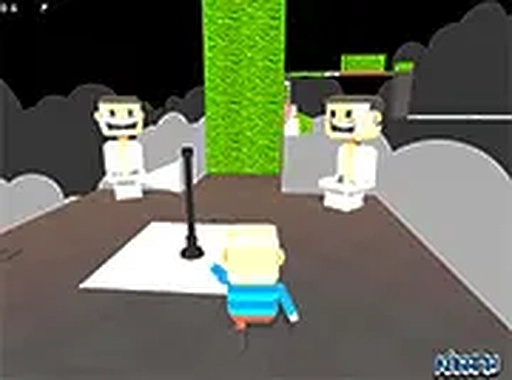
The blocky, colorful graphics create a friendly and inviting world. Each course features bright textures and simple geometric shapes that clearly define platforms and obstacles. The visual clarity helps players quickly read the environment and plan their next move. The overall aesthetic is playful and accessible, suitable for players of all ages. The lack of complex visual clutter keeps attention on the gameplay itself.
Community and Leaderboard Features
An online leaderboard tracks completion times for each course, allowing players to compare their performance with others. This adds a light competitive element to the experience. Seeing how others approach the same obstacles can provide new strategies or routes. The community aspect is optional, so players can focus on personal improvement if they prefer. This feature encourages replaying levels to refine techniques and achieve faster times.
Accessibility and Platform Availability
The game runs entirely in a web browser, removing the need for any downloads or installations. This makes it easy to start playing on almost any device with an internet connection. A full-screen mode is available for a more immersive view. The simple control scheme and gradual difficulty increase make the game approachable for beginners while still offering challenges for experienced platformer fans. The free-to-play model ensures there are no barriers to entry.





Comments
Sign in to leave a note
You must be logged in before posting a review or rating.
No account? Create one
No comments yet. Be the first to comment!