Reviews
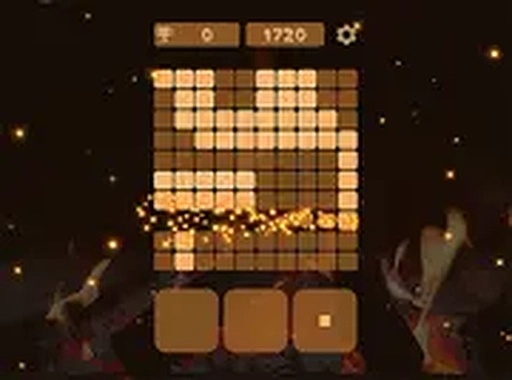
Peaceful Cubes Block Puzzle delivers a truly relaxing experience with its cozy campfire setting and gentle gameplay. The absence of timers allows for thoughtful strategy, while the satisfying line-clearing mechanic keeps you engaged. The soothing sound effects and visual sparks enhance the calm atmosphere, making it ideal for unwinding after a busy day. A great choice for puzzle fans of all ages.
Description
Game Introduction
Peaceful Cubes Block Puzzle reimagines the classic block puzzle genre for a serene experience. Inspired by traditional tile-matching games, it removes the pressure of speed and focuses on gentle, thoughtful play. Players place colorful cubes on a board to complete horizontal lines, which then disappear to earn points. The game features a soothing campfire setting with soft crackling sounds and floating sparks, creating a cozy atmosphere. This environment is designed to help players unwind, making it suitable for all ages. Whether you have a few minutes or an hour, the game provides a calm escape from daily stress. It is easy to pick up but offers ongoing enjoyment as you aim to clear lines and improve your score. The core objective is to fill rows completely, similar to classic puzzle mechanics, but at a relaxed pace that encourages strategic planning without rush.
How to Play
Playing Peaceful Cubes Block Puzzle is straightforward. Players begin with a board and a set of cube blocks. The goal is to select a block and place it on the board to form complete horizontal lines. When a line is filled, it disappears, awarding points and freeing up space. Unlike many block games, pieces do not fall automatically, allowing players to take their time to think and plan moves. There are no timers or complex controls, making it ideal for beginners and younger players. Typically, players click or tap to choose a block, then place it in a desired position. The game rewards careful planning and strategic thinking, but the relaxed pace means no one feels rushed. This simple mechanic is easy to learn yet offers depth for those who enjoy puzzle challenges.
Game Features
Peaceful Cubes Block Puzzle includes several features that enhance the relaxing experience. Soothing campfire sounds create a cozy atmosphere, while glowing sparks add a visual treat as you play. There are no timers, so players can enjoy the game at their own speed. Controls are intuitive and easy for all ages, making the game family-friendly. The gameplay focuses on gentle puzzle solving without stress, suitable for anyone looking for a peaceful break. Additional elements may include a score system to track progress and encourage improvement. The overall design emphasizes relaxation over competition, making it a perfect choice for casual gaming sessions.
Tips for Success
To improve your score in Peaceful Cubes Block Puzzle, focus on clearing multiple lines at once. Plan ahead by scanning available blocks before placing them. Practice regularly to recognize patterns and develop efficient strategies. Remember, there is no rush—take your time to enjoy the relaxing atmosphere. Consistent play helps you learn how to arrange cubes effectively, leading to higher scores over time.




Comments
Sign in to leave a note
You must be logged in before posting a review or rating.
No account? Create one
No comments yet. Be the first to comment!